 ShootersBO1 Zombies
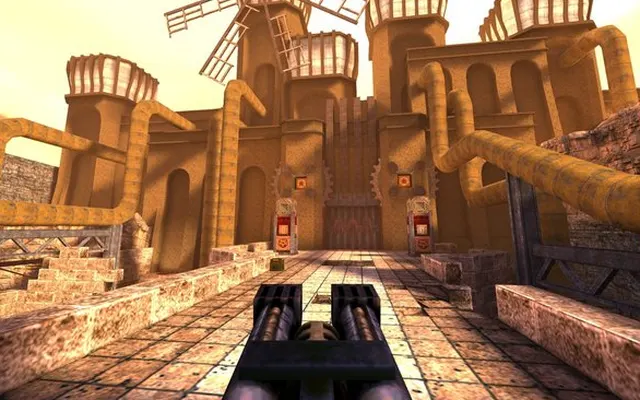 ShootersQuake 1
Shooters
Quake
Ready to playDesktop
Fast movement, dark corridors and old-school first-person combat. This Quake project brings the classic into a browser.
q1.pieter.com ↗
Listed as browser-ready. Availability depends on the project host.
Before you play
Entered a live QuakeWorld multiplayer scene and checked basic keyboard input. No account or local game-file selection was needed in this session.
- Enter a player name on the project page and select PLAY.
- Let pak0.pak finish downloading. The client then connects to the multiplayer game.
- Click the game canvas before using the keyboard.
Controls
W moves forward; Space jumps. Check the game menu for the remaining key bindings.
October 10, 2026 · Apple silicon Mac · macOS 27.0 · Codex in-app browser. Short multiplayer/input check; no campaign or performance benchmark.
Questions before you play
Do I need to upload game files?
No file picker or account was required in our tested multiplayer session.
Why is the first launch downloading a file?
The browser client loads its game assets before joining. Allow the download to finish rather than refreshing.
Does this include the single-player campaign?
This entry was checked as a QuakeWorld multiplayer client; we did not test a campaign.
We link to this project but do not run it. Features, content and availability may change independently of this directory.
Browser game optimization
Quake 1: performance & optimization FAQ
How do I separate Quake frame drops from connection lag?
After the asset download finishes, turn in place and then watch other players. An uneven camera suggests a local frame-rate problem; smooth turning with players jumping between positions points toward the connection or server. Compare one server and scene before changing settings.
Why does the mouse or keyboard stop responding?
Click the game canvas again after switching tabs or leaving a menu. Input focus is separate from frame rate: lowering graphics will not restore keyboard focus. Use the in-game bindings rather than console commands written for a different Quake port.
What browser checks should I try for Quake 1?
Keep the game tab visible and pause other games or video. If Chrome Energy Saver is active, compare with it off while plugged in; restore it if there is no benefit. Change one thing at a time and repeat the same scene. Export any available save backup before clearing site data or switching browser profiles.
For browser settings and a step-by-step diagnosis, read How to optimize browser games.
Reviewed October 10, 2026. Suggestions are troubleshooting steps, not measured performance gains.
Sources & further reading