 SportsSkate 3
 SportsPES 6
Sports
PES 6 (Web)
May need setupMobile
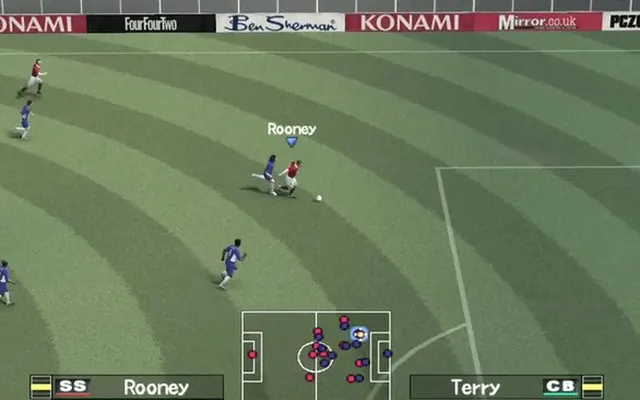
Play the PSP version of Pro Evolution Soccer 6 through a browser project with keyboard, gamepad and touch controls.
pes6.optijuegos.net ↗
Check the project instructions for downloads, required files and supported browsers.
Before you play
This is the PSP version of PES 6 running in a browser. The project specifies WebGL 2 support.
- Open the player in a modern browser with WebGL 2.
- Choose the input settings. The project offers an optional full-game preload of about 300 MB.
Controls
Keyboard, gamepad and touch controls are available. The project interface is in Spanish.
Project information checked October 10, 2026. A responding page is not a gameplay test.
We link to this project but do not run it. Features, content and availability may change independently of this directory.
Browser game optimization
PES 6: performance & optimization FAQ
What are sensible PES 6 graphics settings to start with?
In Gráficos, start with 1x internal resolution in WebGL 2 and the 30 FPS option. The page labels 60 FPS experimental. Internal resolution only affects WebGL 2; the software renderer stays at 480 × 272. Restart after switching renderer, then compare the same match.
Can I reduce PES 6 loading work?
The launcher offers Jugar sin relatos (play without commentary) as its lighter option. Try that before downloading commentary packs. Full-game preload is optional and roughly 300 MB: it moves downloading earlier, rather than guaranteeing higher FPS.
What browser checks should I try for PES 6?
Keep the game tab visible and pause other games or video. If Chrome Energy Saver is active, compare with it off while plugged in; restore it if there is no benefit. Change one thing at a time and repeat the same scene. Export any available save backup before clearing site data or switching browser profiles.
For browser settings and a step-by-step diagnosis, read How to optimize browser games.
Reviewed October 10, 2026. Suggestions are troubleshooting steps, not measured performance gains.
Sources & further reading